Manual sections
Preflop Tip
Important notice: Due to recent releases, you may find some of the contents of this online manual, including the video tutorials, to be outdated. Specifically, it's important to note that the current Mac version of PokerSnowie does not yet contain all the features, since the Hands Import and Hand Range are not yet implemented. However, our team is working on it. We are also currently in the process of updating these materials. In the meantime, you can get a more accurate description of PokerSnowie's features on the various platforms by visiting the Downloads page and try out the software.
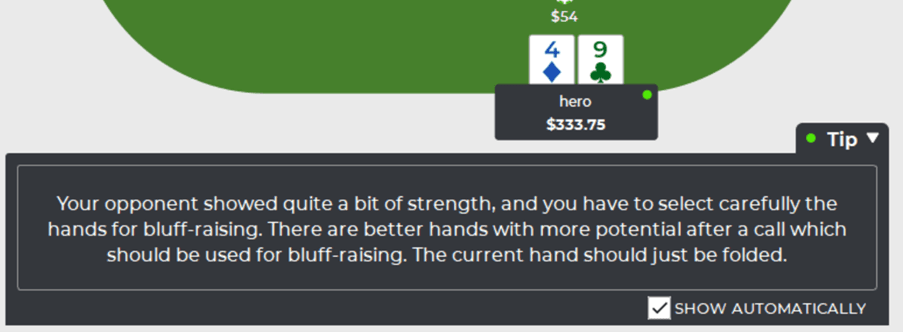
The Preflop Tip is a unique way to learn preflop strategy from PokerSnowie. Often you might wonder why PokerSnowie considers a certain move as correct, or an error, and sometimes you prefer a quick summary explanation rather than reviewing your hand range or analyzing other more comprehensive information.
This is where the Preflop Tip comes in. It’s designed to give you simple feedback to help explain why a certain move is considered an error and will often suggest an alternative play for the situation.
The Preflop Tip is not available for every single move, however when available, it will appear automatically. You can choose to toggle the automatic tip on or off, using the "SHOW AUTOMATICALLY" check box.
The Preflop Tip can be accessed while browsing your hands, during Training, and when working with Scenarios.